Law Firm SEO
AI Optimization for Lawyers and the Future of Law Firm SEO (Part Four)
Updated: 07/13/2026

by Andrew Nasrinpay
Partner



Table of Contents
Why Content Is the Core of Law Firm SEO
Artificial intelligence has completely changed the way people search for information online. AI tools have trained users to expect faster answers, fewer clicks, and clearer explanations. Search engines followed that lead, which means your law firm’s visibility now depends less on how many keywords you rank for and more on whether Google trusts you enough to summarize what you say.
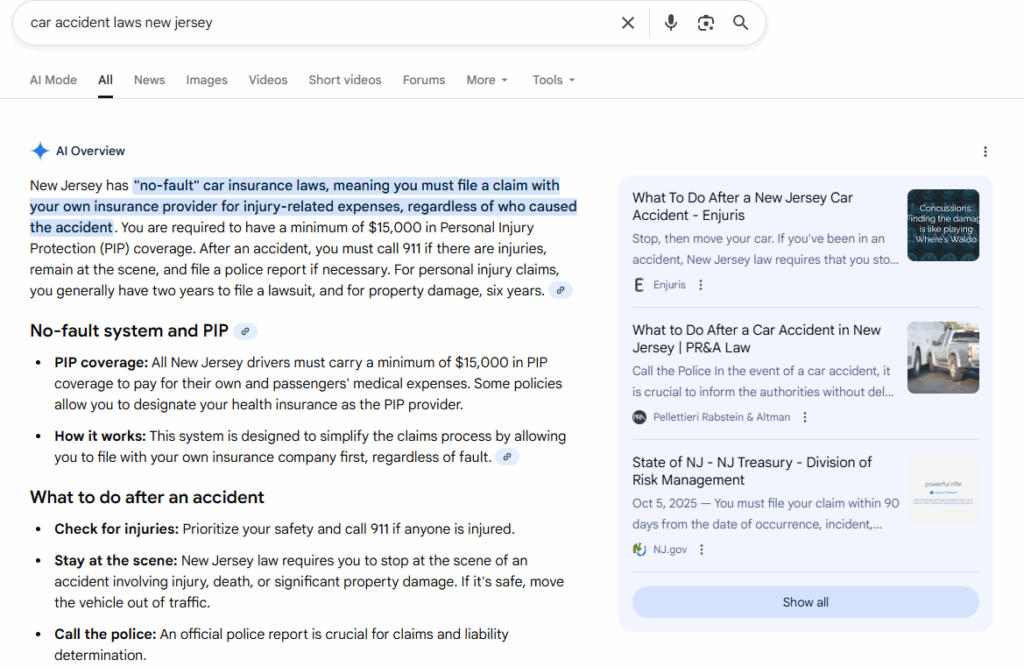
How AI Changed Search Behavior
Search used to look like this: a few keywords typed into a box, a list of links, and a click. Now it looks more like a conversation. People ask questions the way they talk to other humans:


-
 “What happens after a workplace discrimination complaint?”
 -
“How long does it take to get a green card?”
-
“Do I need a lawyer for a first DUI?”
These questions carry context and intent. Instead of matching exact phrases, search engines infer meaning. They combine natural-language processing with user behavior — location, previous searches, and even the phrasing of the question — to return a synthesized answer.
That synthesis is what AI-driven search is built on. Google’s Search Generative Experience (SGE) and Bing’s AI results both rely on summarization: combining fragments of trusted pages into one response. The click, once the foundation of SEO, now comes later (or not at all).
For law firms, this shift means visibility begins before the visit. The best chance to earn a client’s attention isn’t limited to ranking first. It also means being cited or quoted inside the AI-generated answer itself.
From Links to Answers: Competing in Generative Results
Traditional SEO measures success by keyword ranking or SERP position. Generative search measures success by inclusion.
When someone asks, “Can my employer fire me for reporting harassment?”, Google no longer just returns a flat list of blue links. It produces an AI summary that pulls from authoritative pages — federal labor sites, legal journals, and, occasionally, law firm articles that demonstrate real expertise.
To compete, your content needs to be structured so AI systems can parse it easily:
- Lead with a direct, factual statement (“In most states, it’s illegal to fire an employee for reporting discrimination.”).
- Follow with brief supporting context and a clear next step.
- Use subheadings and schema markup that reinforce the structure.
- Use a clear “key takeaway” section to allow you to paraphrase your own content, essentially, making it easier for AI to do so.
Generative engines don’t quote everything they read. They quote the parts that sound definitive. They also reward pages that anticipate related questions within the same topic. A robust FAQ section on pages and even blogs can do wonders for your SEO, because it can address all sorts of related questions. That breadth and depth is good for AI and traditional search.
Even as generative search reduces traditional click-through traffic, link equity still matters as a ranking signal. AI systems rely on reputable citations and backlink data to identify trustworthy sources, even when the results surfaced to search engine users appear differently. The stronger your backlink profile — from reputable news, bar associations, and legal directories — the more likely your pages are to inform those AI-generated summaries behind the scenes.

Exercise:
AI Visibility Scan

If you can’t say “yes” to all three, refine it until you can.
Authority in AI Search
AI tools, just like search engines, don’t guarantee that their results are accurate. But they do look for websites they deem trustworthy — and that means Google’s emphasis on E-E-A-T still rules.
Modern search systems weigh signals like:
- Authorship and credentials tied to the content.
- Consistency across firm listings and professional directories.
- References to jurisdictions, courts, or laws that prove local experience.
- Transparency about pages and privacy policies that confirm legitimacy.
For law firms, this means every mention of who you are and where you practice matters. On your own website, you can:
Add bylines that connect articles to real attorneys.

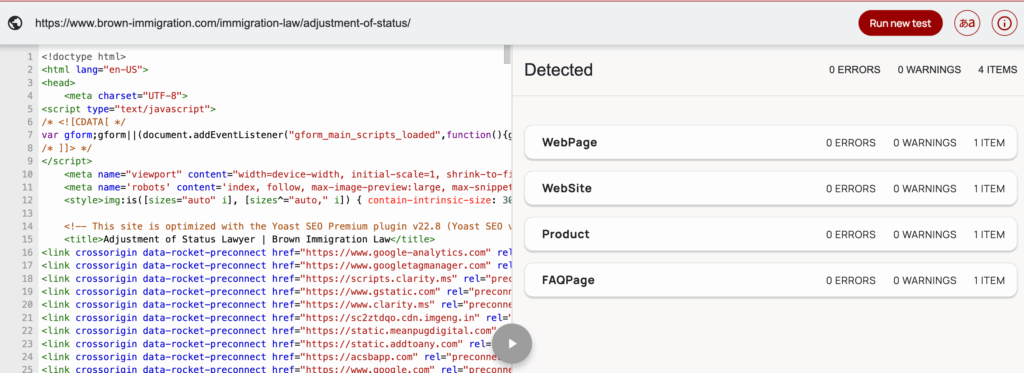
Use structured data to label bios, credentials, and practice areas.
Include local or jurisdiction-specific examples — not because Google “likes” geography, but because those details prove you’re real.
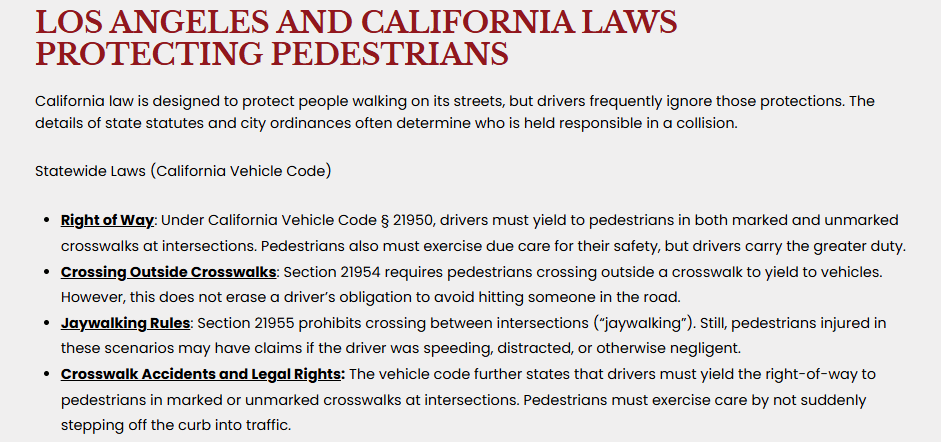
Google’s systems can recognize when content includes original insight, like a case summary or a first-hand description of procedure. Firms that show their work (literally) earn inclusion when AI generates summaries.
Local authority is increasingly visible in AI-generated results. Generative engines often blend national information with localized sources to improve accuracy. Law firms with complete Google Business Profiles, consistent directory citations, and location-rich schema data have a higher chance of being referenced or summarized when users ask geographically specific legal questions.
Optimizing for AI Summaries
AI engines prefer content they can trust, interpret, and reframe quickly. That requires structure. Here are a few of the things you can do to optimize for search:
-
Use schema markup for organization data, attorney bios, FAQs, and articles.
-
Build concise Q&A sections for each service page.
-
Add some clear “key takeaways” to your page that summarize its contents.
-
Cite authoritative external sources — statutes, agencies, or courts — to anchor accuracy.
-
Write clear meta titles and descriptions; they’re still the first signals AI crawlers read.
-
Keep images and videos properly tagged with alt text and transcripts so they can appear in multimodal summaries.
This doesn’t mean turning your website into a data table. It means thinking about how an AI summarizer reads: top-down, question-first, with preference for clarity over flair.
Schema markup doesn’t just help Google display rich snippets anymore — it feeds the data pipelines that generative engines use to verify facts and identify authoritative sources. Well-labeled entities like attorneys, practice areas, and FAQs make your content easier for these systems to parse, reference, and summarize accurately.
AI Uses Directories As a Strong Signal
Typically we didn’t recommend paying to be included in legal directories as the ROI previously was terrible on most of these directories. Potential clients often shopped between the dozens of law firms listed and the platforms often sent the same lead to dozens of firms. Now many generative searches are directly pulling results from these directories, so the unintended consequences are that value can be extracted not from the traffic that the directory generates but by inclusion in generative AI searches.
Ethical Use and Human Oversight
AI can help draft, summarize, or format, but it cannot be trusted to interpret the law. Anything generated by a machine should pass a human review before it goes public. According to data compiled by one of our proprietary tools, firms advertising for mass torts lead the pack; on average, 48.84% of their content displayed markers of AI-generation*. Appellate Law has the least, with an average of 14.09%.
(*Represents the percentage of content flagged as AI generated among the top eight in the SERP for the most important keywords across 12 practice areas, across the 100 most populated cities in the US.)
AI can be used effectively in legal marketing, but it should be balanced with proper approval process, and other forms of content (images, custom coded widgets, and video assets) to produce the best quality content that will rank within the top positions in google or bing search results.
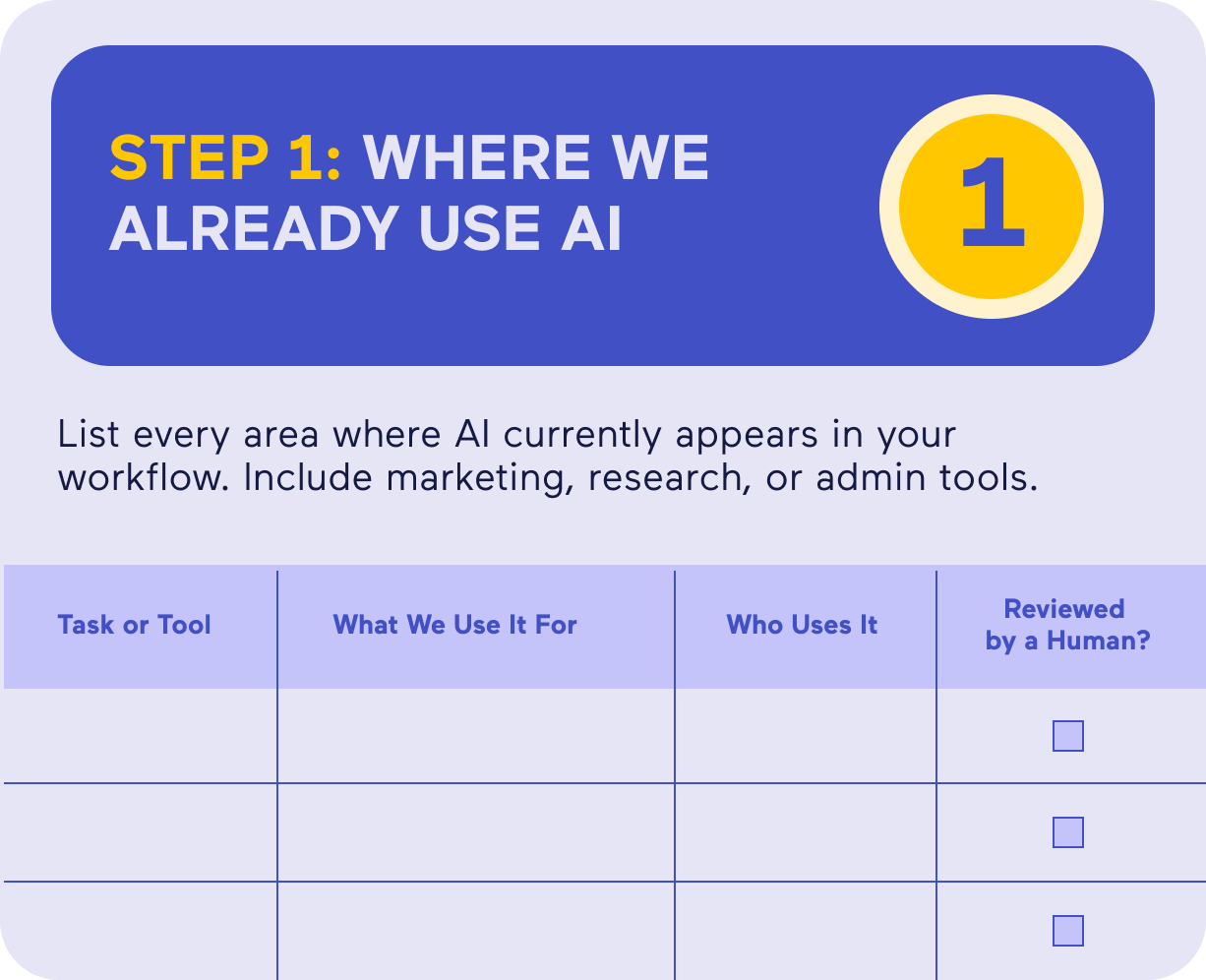
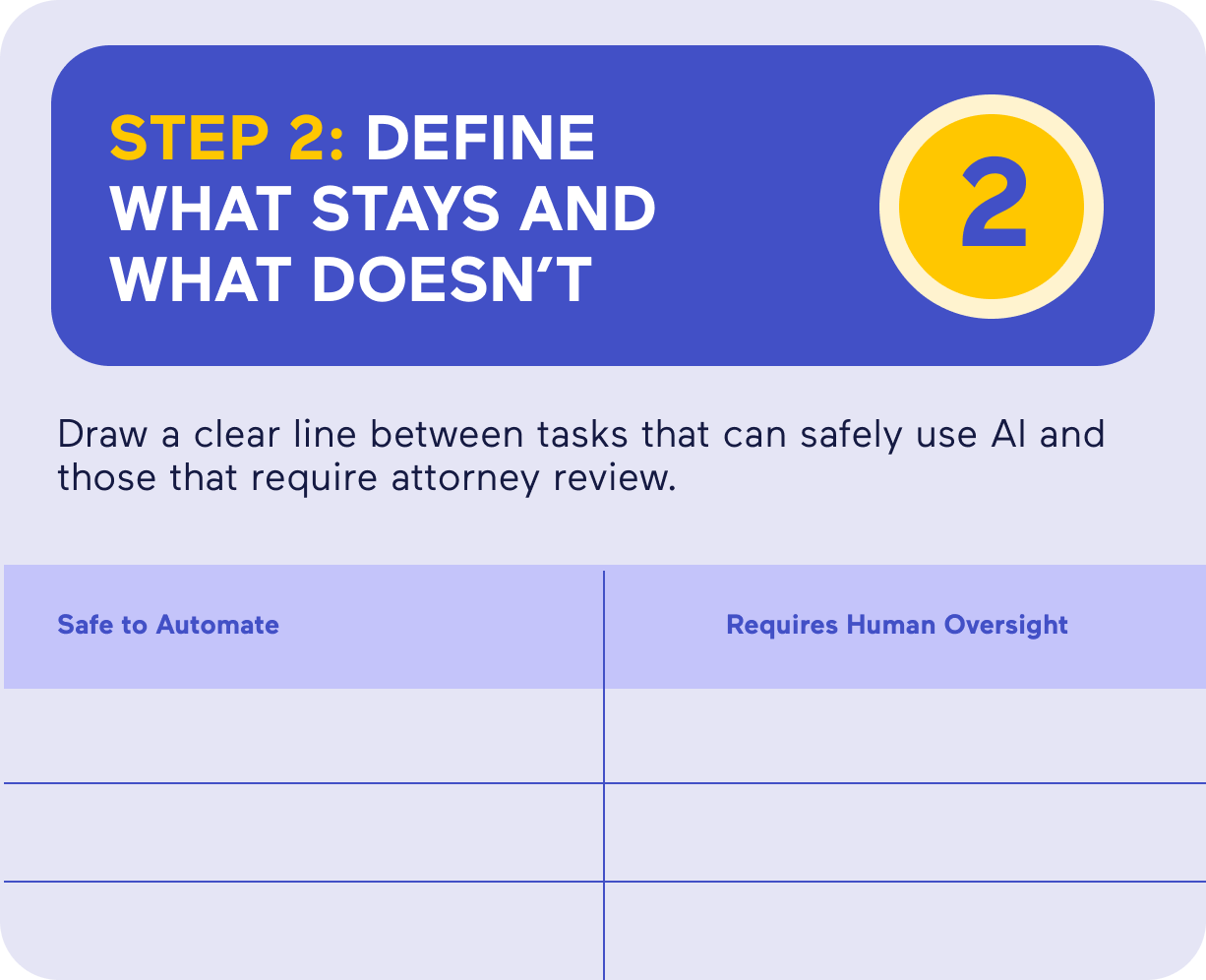
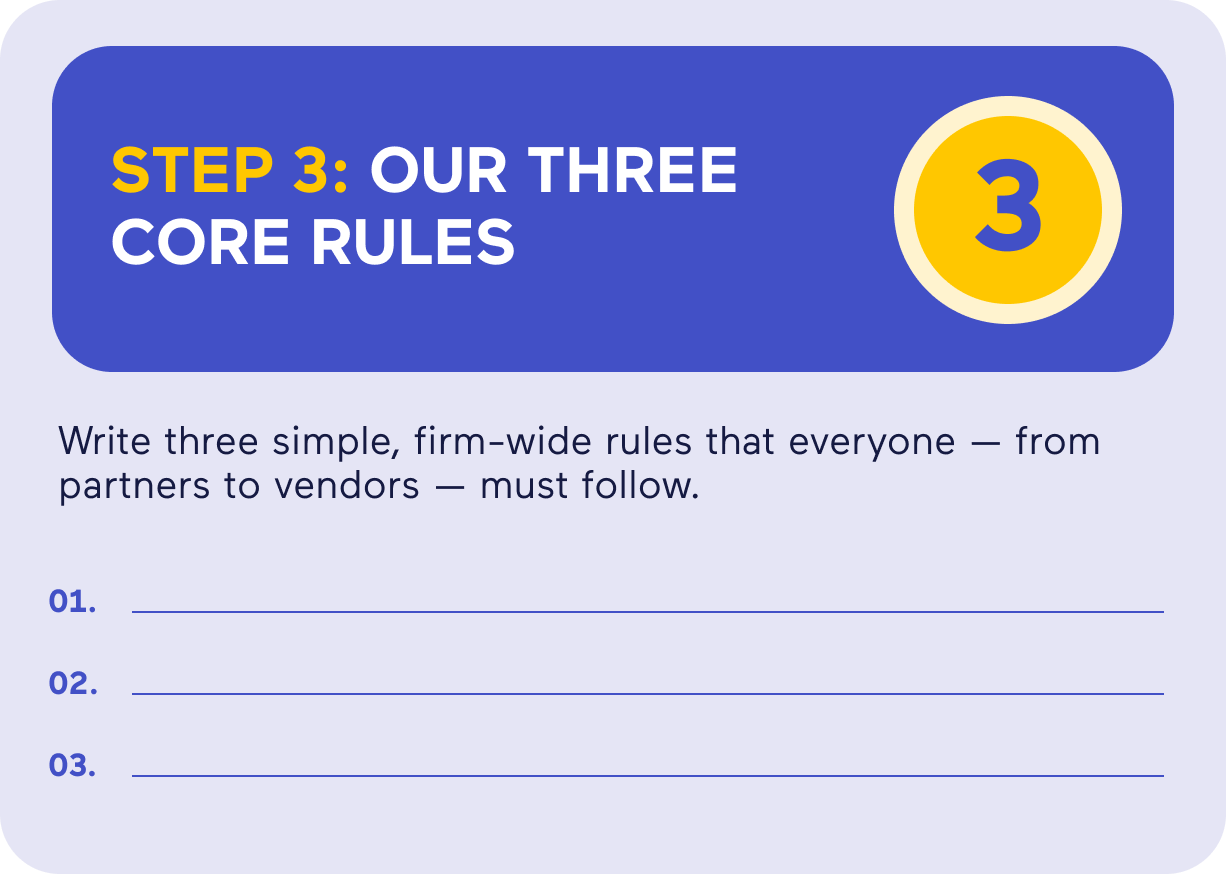
If your firm uses AI tools for marketing or content, set internal boundaries:
- What tools are approved?
- Who reviews outputs before publishing?
- How do you ensure client data never leaves secure system
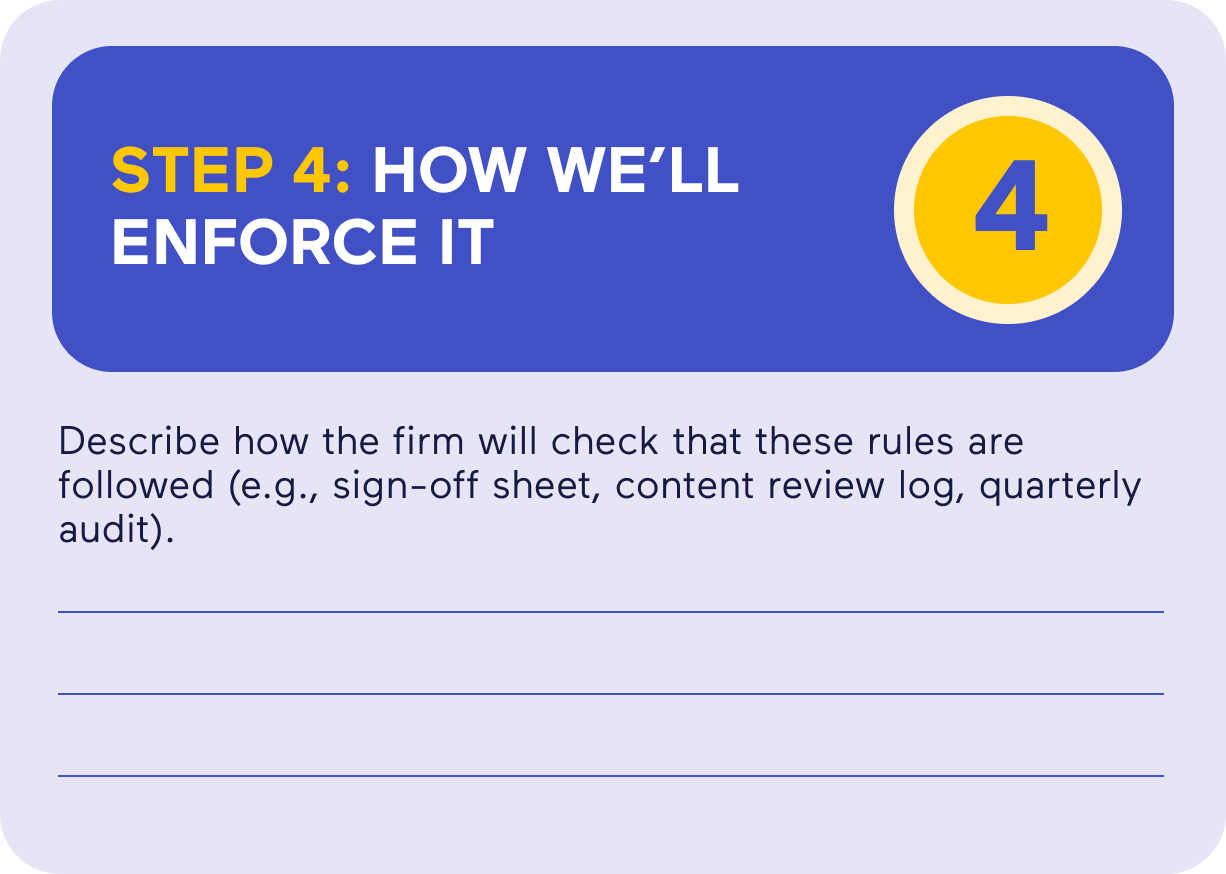
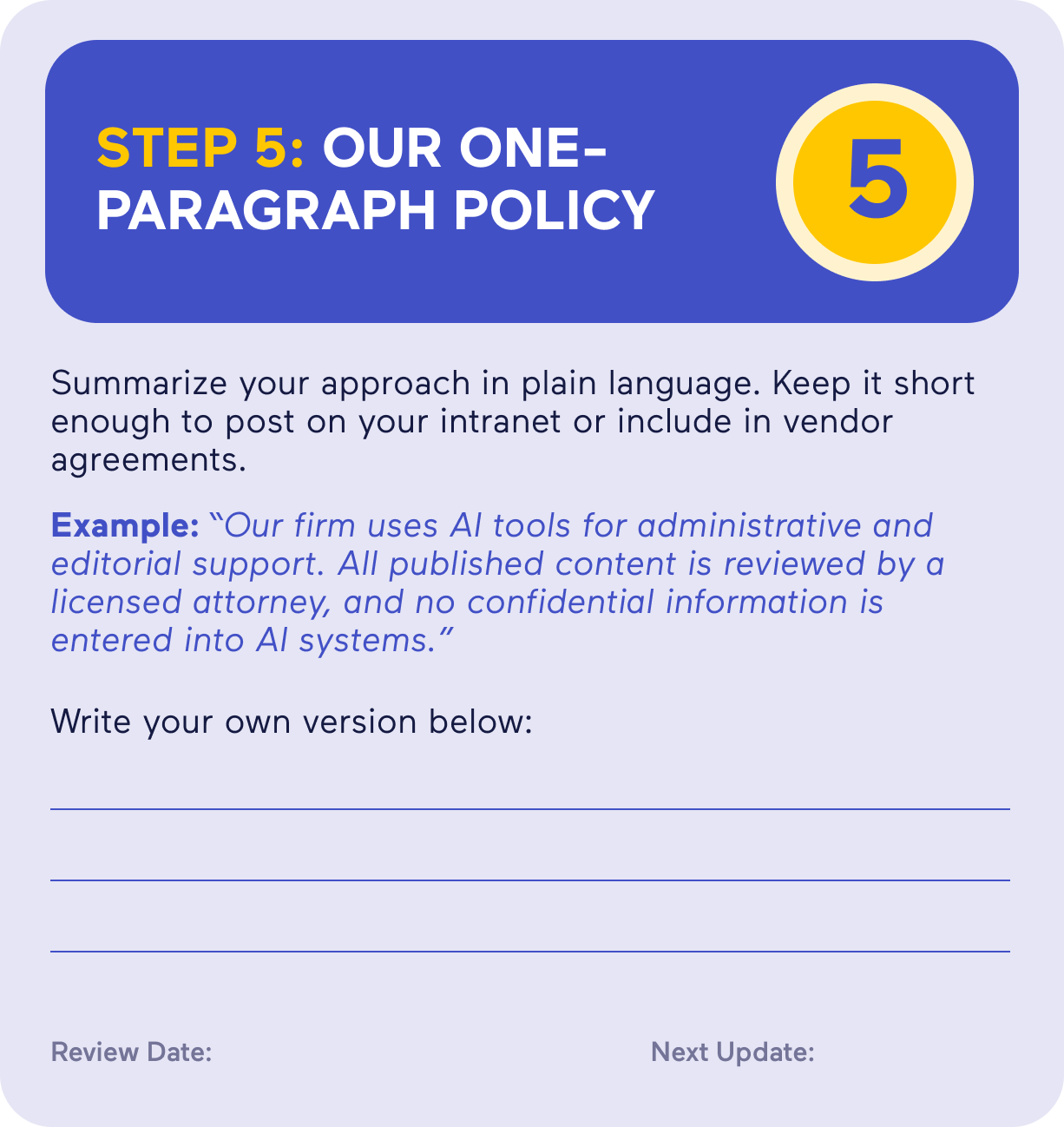
Consider adding a note on every major resource stating when it was last reviewed and by whom. It builds trust with readers and satisfies Google’s push toward verifiable transparency.
Better yet, document your process. If you ever need to explain how content was created or updated, you’ll have proof that a licensed professional checked it — and that your firm values accuracy over speed.
Exercise: Create Your Firm’s AI Playbook
Detecting AI Content — What Google Sees vs. What Clients Feel
Search engines and humans both notice when text sounds mechanical. Google identifies AI patterns statistically: repeated sentence structures, lack of context, or missing “information gain.” People identify it emotionally; they feel when something reads like a placeholder.
You can run your own audit pretty easily. Read a few of your pages aloud and note what sounds sterile or repetitive. Then, compare them to competitor content that ranks in SGE summaries. The difference usually comes down to specificity and tone: theirs sounds informed, yours sounds assembled.
AI Tells and Trigger Phrases
AI copy loves certain phrases. If you see these more than once in a draft, start cutting.
-
“Navigating the complexities of…”
-
“In today’s ever-changing landscape…”
-
“It’s crucial to understand…”
-
“A comprehensive overview of…”
-
“Leveraging cutting-edge technology…”
-
“Delving into the nuances…”
-
“The realm of…”
-
“Playing a pivotal role…”
-
“In the fast-paced world of…”
-
“Ensuring optimal outcomes…”
-
“A key takeaway is…”
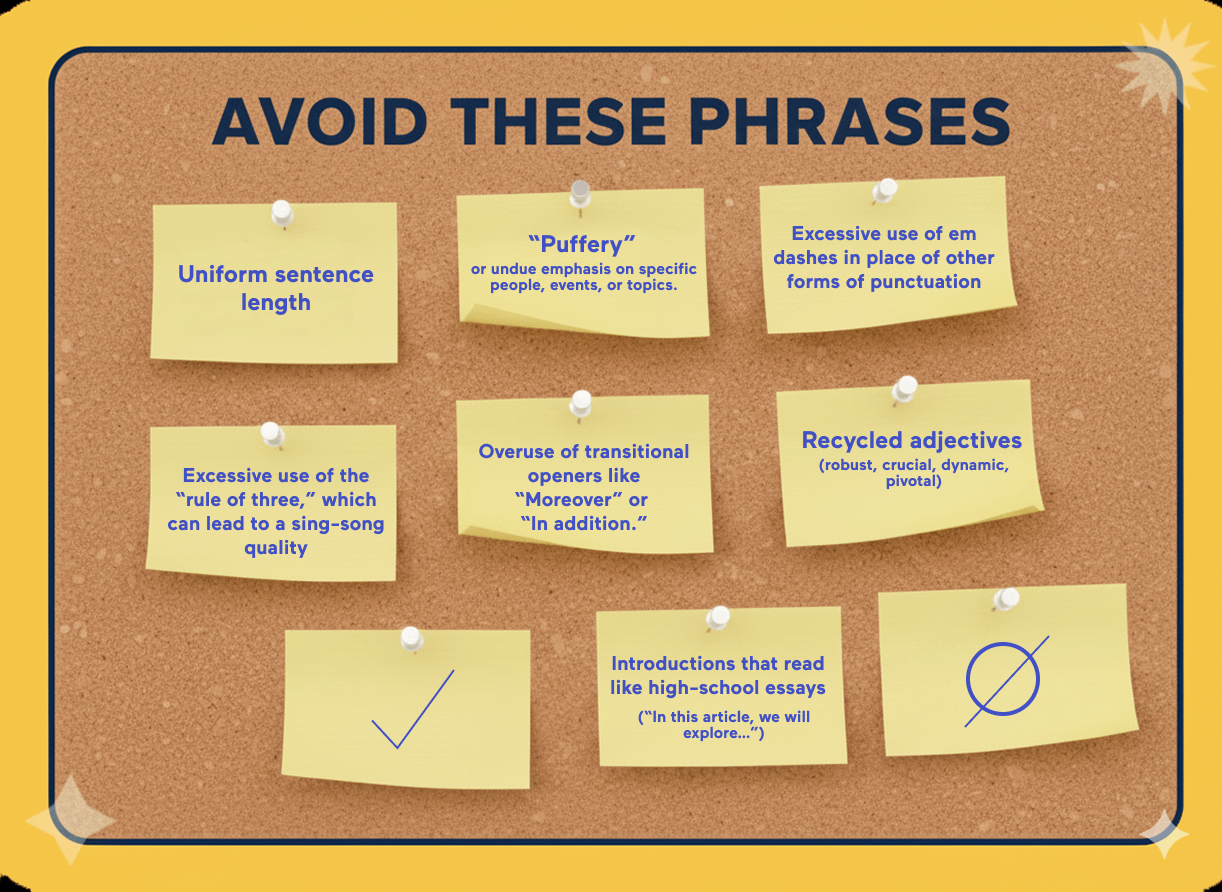
What you’re looking for is patterns, not one-off uses of these phrases or words. Remember that these AI content tools “learned” from existing web content, and these phrases and terms have been used by countless writers for the last 30 years. Just because your blog says “Today, we’ll look at XYZ” or your page on car accidents describes a certain step in the insurance claim process as “crucial” doesn’t mean it’s automatically AI.

our authors



Sources and References
Glossary

Algorithm – The set of rules search engines use to decide which pages show up (and in what order) when someone searches for something. Google tweaks it constantly just to keep everyone guessing.
Alt Text – A written description of an image that helps search engines and screen readers understand what’s shown. Also handy for accessibility compliance.
Anchor Text – The visible, clickable text of a hyperlink that indicates the topic or destination of the linked page.
Backlink – A link from one website to another. The digital equivalent of a vote of confidence — except sometimes people buy votes, and Google frowns on that.
Bounce Rate – The percentage of visitors who leave your site after viewing just one page. High isn’t always bad, but it’s rarely good.
Call to Action (CTA) – A line that encourages the reader to do something — “Call now,” “Book a consultation,” or “Stop ignoring that ticket.”
Canonical URL – The “official” version of a page when duplicates exist. It keeps Google from thinking you’re plagiarizing yourself.
Citations – Mentions of your business name, address, and phone number (NAP) on other sites. Consistency is key.
Click-Through Rate (CTR) – The percentage of people who click on your search result after seeing it. A decent test of whether your title actually says something useful.
Content Marketing – Creating useful, informative content that attracts potential clients without sounding like an ad.
Conversion – When a visitor does what you wanted them to: calls, fills out a form, or schedules a consult.
Conversion Rate – The percentage of visitors who actually convert. A truer measure of success than traffic alone.
Core Web Vitals – Google’s measure of site performance: speed, responsiveness, and stability. Translation: make your website load fast and stop shifting when people scroll.
Crawl – The process search engines use to find and read your site’s pages. If they can’t crawl it, they can’t rank it.
CTR (Click-Through Rate) – Same as #9, but it’s worth repeating: impressions don’t matter if no one clicks.
Directory Listing – Your profile on legal or business directories like Avvo or Yelp. Think of it as a modern-day phone book, but less trustworthy.
Disavow – The act of telling Google, “Please ignore these shady backlinks; we didn’t ask for them.”
Domain Authority (DA) – A third-party metric predicting how likely your site is to rank. Not an official Google score, but marketers love to argue about it anyway.
Duplicate Content – Identical or near-identical text that appears on multiple URLs. Search engines don’t like déjà vu.
Engagement – Any meaningful action a user takes on your site — clicking, reading, sharing, calling. The opposite of scrolling past.
Evergreen Content – Content that stays relevant over time. Not “news,” but the stuff that keeps earning traffic years later.
Featured Snippet – That boxed answer at the top of Google results. Great visibility, terrible for click-throughs.
Footer Links – Links at the bottom of your pages. Fine in moderation, spammy in excess.
Geo-Targeting – Focusing your marketing on users in specific locations. Critical for firms that serve defined geographic areas.
Google Analytics 4 (GA4) – Google’s platform for tracking traffic, engagement, and conversions. It’s powerful, and occasionally infuriating.
Google Analytics – The tool that measures your website traffic and user behavior. The foundation of digital performance tracking.
Google Business Profile (GBP) – The listing that controls how your firm appears in Google Maps and the Local Pack. Keep it updated, or someone else’s will be.
Google Search Console (GSC) – The tool that tells you how your site performs in search. If Analytics is the “what,” Search Console is the “why.”
Headings (H1, H2, H3) – Structural tags that tell readers and search engines what each section is about. Formatting with purpose.
HTML – The code that structures web pages. You don’t have to be fluent, but knowing a few words helps.
Impressions – How many times your page appears in search results. Think of it as visibility, not engagement.
Indexing – When search engines add your page to their database. If you’re not indexed, you’re invisible.
Internal Links – Links between your own pages. They help users navigate and help Google understand your site hierarchy.
Keywords – The search terms people use — and the ones you want your site to rank for.
Keyword Stuffing – Overusing keywords in an attempt to manipulate rankings. Google banned that party years ago.
Landing Page – A page designed to capture leads or conversions, usually tied to a specific campaign.
Link Building – The process of earning backlinks. When done right, it’s relationship-building; when done wrong, it’s spam.
Local Pack – The box of map results that appear at the top of local searches. It’s prime real estate for law firms.
Long-Tail Keyword – A longer, more specific search phrase, like “car accident lawyer in Buffalo, NY.” Lower volume, higher intent.
Meta Description – The short summary under your page title in search results. It doesn’t directly affect ranking, but it does affect clicks.
NAP (Name, Address, Phone Number) – The trifecta of business info that must be consistent everywhere.
NoFollow Link – A hyperlink that tells search engines not to pass ranking credit. Still useful for traffic, less so for SEO power.
Organic Search – Visitors who find your site naturally, not through ads. The slow burn that pays off long-term.
PageSpeed – How quickly your site loads. Faster is better for both rankings and impatient clients.
Schema Markup – Code that helps search engines understand your content. It’s the difference between “I have a website” and “I have a structured, searchable website.”
SERP (Search Engine Results Page) – The page of results you see after searching. Your battleground.
Sitemap – A file that lists all your site’s pages so search engines can find them easily.
Structured Data – A more formal term for schema. It gives Google context — who you are, what you do, and where you do it.
Title Tag – The headline that appears in search results and browser tabs. It’s the digital version of your elevator pitch.
User Experience (UX) – How pleasant and intuitive your website feels to use. If visitors leave frustrated, no amount of keywords will save you.
Zero-Click Search – When Google answers a query directly on the results page, leaving your beautifully written article unclicked but still useful.