The Definitive Guide to Form Solutions for Law Firms
Updated: 05/29/2026

by Andrew Nasrinpay
Partner


Table of Contents
As the legal industry continues its digital transformation, traditional paper or PDF forms have become barriers instead of tools. Clients now expect seamless, secure, mobile-friendly experiences that feel as easy as filling out a restaurant reservation or an online purchase. The firms that meet those expectations convert more leads, onboard clients faster, and reduce administrative overhead.
That’s where form solutions come in. The right platform can turn intake chaos into structured, data-driven workflows that don’t compromise compliance or professionalism.
At MeanPug, we’ve built, customized, and integrated nearly every form platform under the sun, from Gavel to Typeform and more. So today, we’re taking a long look at form technology, including:
- The different types of forms that support marketing, intake, and client management
- The leading vendors and platforms available today
- How to evaluate, implement, and optimize the right solution for your practice
Settle into your favorite chair and get a snack; we’re going all in on form solutions that fit your firm’s unique needs.
Types of Form Solutions for Law Firms
If you assumed that all roads lead to Rome when it comes to forms, we understand. Forms are forms, right? Clients pop in their name and contact info, and maybe tell you a bit about themselves, and that’s that.
Except not quite, actually. Not all forms serve the same purpose. The right tool often depends on where in the client journey that form appears.
There are the six primary categories of form solutions law firms generally need:
1. Marketing & Lead Generation Forms

These are the first point of contact between a potential client and your firm.
- Website contact forms: Basic “get in touch” forms found on homepages and contact pages.
- Case evaluation forms: Gather details about a potential case to help qualify leads quickly.
- Newsletter or gated content forms: Capture email addresses in exchange for resources or updates.
- Chatbot or conversational forms: Interactive, AI-driven forms (like those powered by LawDroid or Intaker) that guide users through qualification questions.
- Landing page forms: Standalone, campaign-specific forms tied to PPC or social ads.
2. Intake & Onboarding Forms
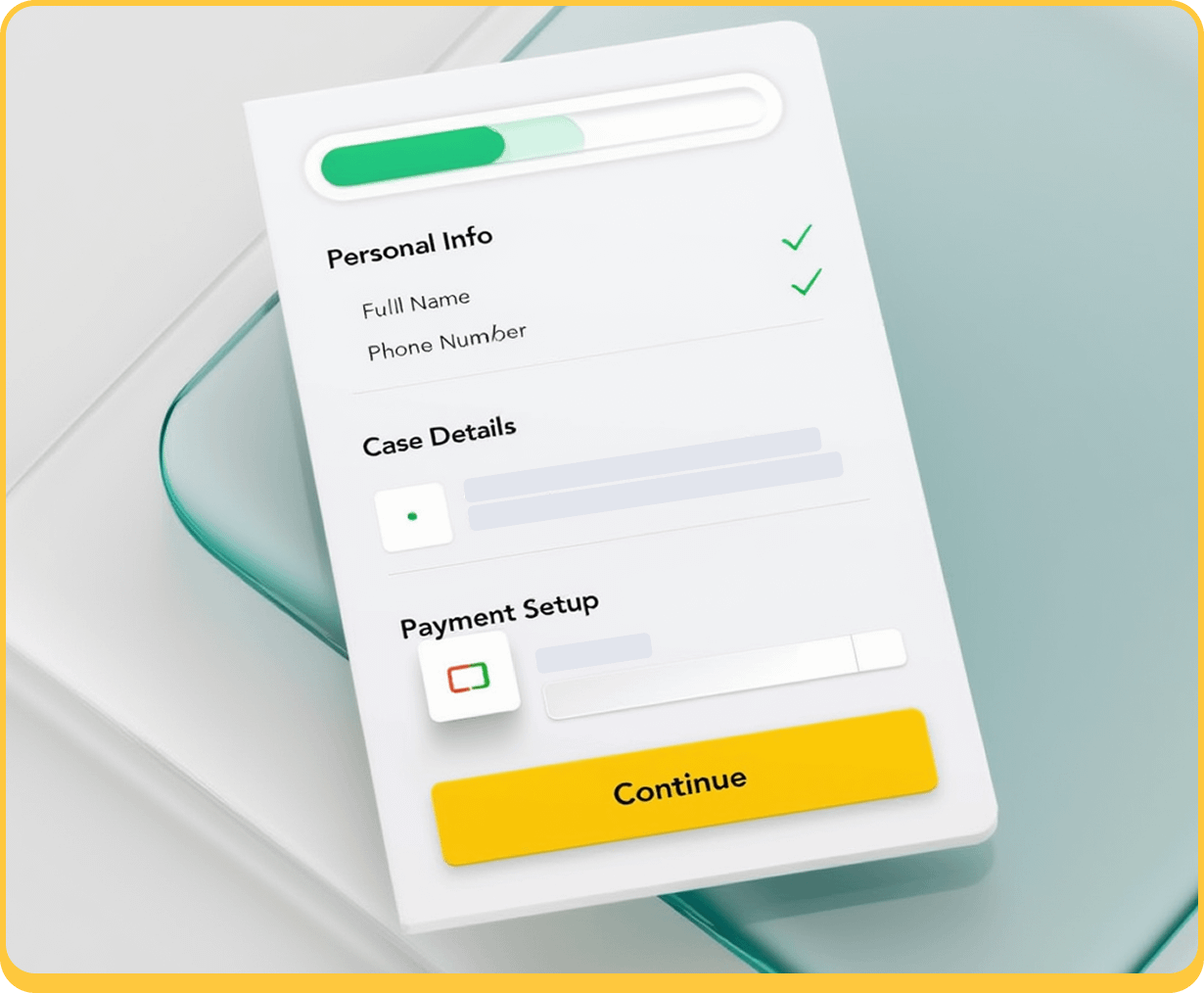
Once a lead converts, these forms formalize the relationship and kick off the client experience.
- Client intake forms: Collect demographic, contact, and case-specific details.
- Conflict check forms: Ensure compliance by identifying potential conflicts of interest.
- Retainer and engagement forms: Combine contract acceptance with signature capture.
- Payment authorization forms: Securely set up billing or deposits, often integrated with payment processors.
3. Case & Matter-Specific Forms

These are detailed, practice-area-driven questionnaires that gather case-critical data.
- Personal injury forms capturing accident and medical details
- Family law or estate planning questionnaires for financial and household information
- Immigration or corporate formation forms that feed directly into filings or document templates
4. Operational & Administrative Forms
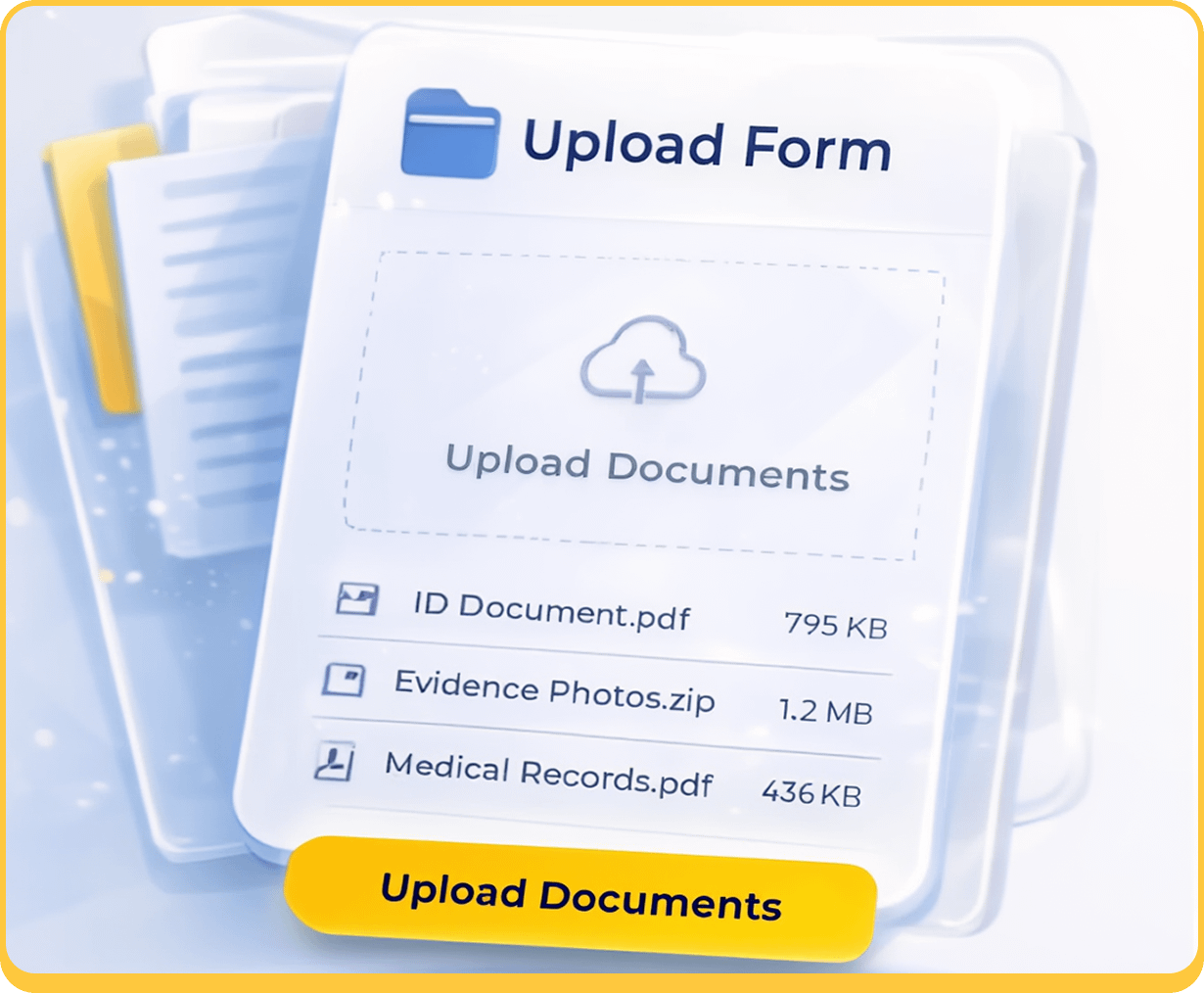
These forms are used behind the scenes to keep the firm organized and compliant.
- Document upload forms: Secure portals for clients to submit files or evidence.
- Referral forms: Standardized way to collect incoming or outgoing referral details.
- Internal forms: For HR, onboarding, and policy acknowledgments.
5. Signature & Compliance Forms
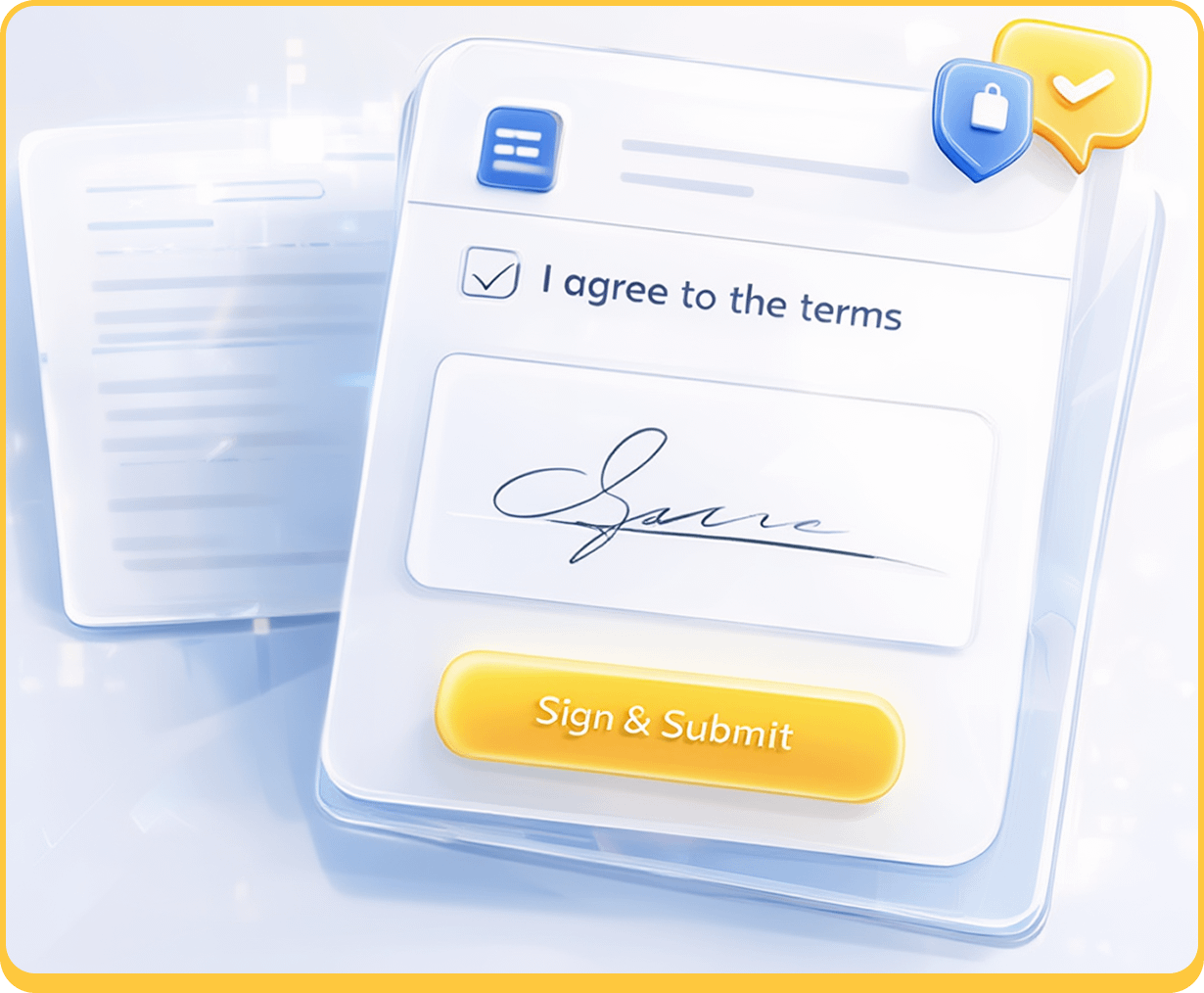
These are the firms tied to authorization, verification, or data protection.
- Document upload forms: Secure portals for clients to submit files or evidence.
- Referral forms: Standardized way to collect incoming or outgoing referral details.
- Internal forms: For HR, onboarding, and policy acknowledgments.
6. Client Experience & Retention Forms

This last group of forms are for after a case closes, to help firms gather insights and maintain relationships.
- Feedback forms: Measure satisfaction and identify service improvements.
- Testimonial or review forms: Encourage clients to share positive experiences.
- Referral or re-engagement forms: Stay connected with past clients for future work.
The short version is there are a LOT of forms. We think it’s better that you know what they’re all for before you choose a vendor, since some companies focus on certain types, and some vendors are just better at certain kinds. (And some forms come as part of your website or CRM, which means you might end up paying for a service you already have.)

Best Form Tools for Law Firms in 2025
The market for law firm form solutions is broad. Many firms start with general-purpose tools because they’re affordable and flexible, but there are legal-specific systems that address compliance, automation, and document assembly needs unique to the industry.
Choosing the right form software comes down to what your firm values most: Customization? Integrations? Ease of Use? Built-in Compliance? Something else entirely? Whatever you need, you should know what all your options are first.
Typeform
Typeform is one of the most widely recognized online form builders, known for its conversational, one-question-at-a-time interface. It’s designed to make data collection feel human and engaging, which translates especially well to law firm marketing and intake experiences where tone and user confidence matter.
Prices range from $25–$83 a month, based on features and users. (Enterprise prices aren’t listed.)
Key Features
- Conversational, client-friendly interface that guides users through responses
- Deep customization for branding, tone, and visual style
- Integrations with thousands of platforms, including HubSpot, Clio Grow (via Zapier), and Google Sheets
- Logic jumps and conditional branching for personalized form flows
- Strong analytics and conversion tracking
Ideal Use Cases
- Law firms focused on marketing and lead generation, especially those running paid campaigns or optimizing website conversions.
- Practices looking to modernize the intake experience with an approachable, client-friendly format.

Pros
- Exceptional user experience and completion rates
- Easy to embed on websites or share via standalone links
- Affordable for small and mid-sized firms
Cons
- Limited native compliance controls (HIPAA-level protection requires Typeform Enterprise)
- Not designed for document generation or internal workflows
Should Your Law Firm Use Typeform?
For firms focused on conversion and client experience, Typeform offers the most polished user interface of any form builder. It’s ideal for marketing-facing forms — consultation requests, evaluations, or newsletter signups — but should be paired with another tool for sensitive or high-volume data collection. At MeanPug, we use Typeform as part of our onboarding process, so we know from experience what it’s like in action.
Gravity Forms
Gravity Forms is a WordPress-native form builder that offers near-limitless flexibility for firms running their websites on WordPress. It’s not as plug-and-play as Typeform or Jotform, but it’s far more customizable, making it a favorite among developers and agencies who want to tightly control design, functionality, and data flow. If you’re a MeanPug client with a WordPress site, the chances are good there are Gravity forms on your website.
Prices for the licenses range: $59–$259 a year, depending on the plan you chose.
Key Features
- Deep integration with WordPress, including custom post types and user registration.
- Extensive library of official and third-party add-ons for payments, automation, and conditional logic.
- Support for advanced features like file uploads, multi-page forms, and conditional routing.
- Seamless integrations with marketing and CRM systems through Zapier, HubSpot, or direct add-ons.
- Developer-friendly API and hooks for advanced customization.
- Optional HIPAA compliance via third-party hosting solutions or plugins.
Ideal Use Cases
- Law firms with WordPress websites that want fully branded, on-site forms.
- Firms needing highly customized or multi-step intake workflows.
- Agencies managing intake, referral, or document submission forms for multiple practice areas.
Pros
- Extremely flexible and scalable for WordPress environments.
- Full control over form design, data storage, and user experience.
- One-time licensing options with no monthly form limits.
Cons
- Requires WordPress — not a standalone product.
- More technical setup and maintenance than drag-and-drop builders.
- HIPAA compliance depends on configuration and hosting environment.
Should Your Law Firm Use Gravity Forms?
If your website runs on WordPress and you want complete control over how your forms look and function, Gravity Forms is one of the strongest choices available. It’s best suited for firms with either internal web development resources or who work with a company like us, that can configure integrations and compliance settings properly. When implemented well, Gravity Forms delivers unmatched flexibility for firms that prioritize design freedom and data ownership.
Jotform
Jotform is one of the most popular online form builders — more than 35 million users, according to their own website. It’s easy enough for a non-technical team to launch quickly, yet robust enough to manage complex intake and compliance workflows.
Jotform does offer a small, free package, but its prices for businesses range from $34 to $99 a month, based on users, forms, and submissions. Enterprise pricing is unlisted.
Key Features
- Drag-and-drop builder with hundreds of pre-made templates, including legal-specific ones (e.g., client intake, consent, and contact forms).
- Conditional logic, calculated fields, and multi-page form options.
- Integration library covering 100+ apps, including Clio, HubSpot, and LawPay.
- Built-in payment collection and e-signature functionality.
- Optional HIPAA-compliant plans for firms handling sensitive data.
- Advanced customization for branding, layout, and embedding options.
Ideal Use Cases
- Client intake and onboarding for small to mid-sized firms that want to digitize forms quickly.
- Lead capture via embedded forms on marketing websites.
- Secure data collection for firms requiring HIPAA-compliant infrastructure.
Pros
- Easy to learn and deploy with no coding required.
- Flexible integrations and automation workflows via Zapier or native connectors.
- Competitive pricing tiers and a generous free plan.
Cons
- Form design, while functional, isn’t as polished as Typeform’s conversational layout.
- Conditional logic and automations can get complex in larger workflows.
- Advanced customization sometimes requires paid tiers or third-party tools.
Should Your Law Firm Use Jotform?
Jotform is one of the strongest all-purpose form platforms available to law firms today. It’s ideal for practices that want a cost-effective, professional-grade solution without investing in fully custom development. For small to mid-sized firms — or larger firms needing department-level form systems — Jotform delivers flexibility, compliance, and integrations in one approachable package. We sometimes recommend Jotform as a middle-ground solution: user-friendly enough for marketing teams, but capable of handling secure client intake.
Formstack
Formstack is a powerful, enterprise-ready form and workflow automation platform that goes beyond simple data collection. Originally designed for large organizations, it’s become increasingly popular among mid-size and enterprise law firms that need secure, integrated solutions for intake, compliance, and document automation. There are specialized solutions for education and healthcare, as well as a customized version for firms using Salesforce.
Prices start at $99 per month for the basic plan and $299 a month for the suite, with discounts for firms willing to pay annually. Enterprise package prices are not listed. Add ons area available.
Key Features
- Drag-and-drop form builder with advanced field logic and workflow automation.
- Built-in document generation and e-signature tools (Formstack Documents and Formstack Sign).
- HIPAA, GDPR, and PCI compliance options for secure data handling.
- Workflow routing that automates review, approval, and follow-up processes.
- Integration with hundreds of applications including Salesforce, HubSpot, and Clio Manage.
- Enterprise-grade analytics, permissions, and audit trails.
Ideal Use Cases
- Enterprise or multi-office firms needing automated data collection and document creation.
- Compliance-sensitive practices, such as healthcare or personal injury firms, handling confidential information.
- Firms looking to centralize form, document, and e-signature workflows in one ecosystem.
Pros
- Extremely secure and compliance-ready.
- Built-in tools reduce the need for multiple platforms.
- Scalable for complex, multi-step workflows.
Cons
- More expensive than most general-purpose form builders.
- Steeper learning curve for smaller firms or non-technical teams.
- Advanced functionality (like document generation) may require bundled products.
Should Your Law Firm Use Formstack?
Formstack is an excellent choice for law firms that need more than just a form, because it’s a complete data and document automation platform. If your firm regularly generates documents, collects e-signatures, or manages intake at scale, Formstack can replace several separate tools with one integrated solution. It’s especially valuable for firms with compliance-heavy requirements or internal IT teams that can leverage its automation power. For smaller firms, however, Formstack’s cost and complexity may outweigh its benefits.
Paperform
Paperform bills itself as an “AI form builder & online firm creator.” It blends the flexibility of an online form builder with the visual polish of a branded landing page tool. Instead of presenting forms as flat input fields, Paperform allows firms to create fully customized, content-rich pages that collect information while maintaining a high-end, on-brand aesthetic. It’s ideal for law firms that view their forms as part of the overall client experience rather than just a functional touchpoint.
The price range is slightly lower for Paperform: $29–129 a month (with a discount for paying annually), though Enterprise packages are unlisted. With those lower [rices, however, can come lower submission caps, so you want to be careful when you choose a plan.
Key Features
- Combines form creation with landing page design — every form looks like a mini website.
- Support for rich content (images, videos, text blocks) alongside form fields.
- Logic and calculations for branching questions or automated estimates.
- Integrations with 2,000+ apps via Zapier, including CRMs and payment tools.
- Built-in payment collection and scheduling capabilities.
- HIPAA compliance available on select plans.
Ideal Use Cases
- Marketing-forward firms wanting visually cohesive, on-brand lead capture or consultation request pages.
- Boutique and high-touch practices where presentation and user experience reinforce professionalism.
- Firms combining intake with scheduling or payments (e.g., paid consultations or retainers).
Pros
- Clean, highly customizable designs that align with firm branding.
- Combines form, content, and checkout in one experience.
- Easy to embed or host as standalone pages.
Cons
- Lacks some of the deeper workflow automation features enterprise firms may need.
- Slightly higher cost for HIPAA-compliant tiers.
Should Your Law Firm Use Paperform?
Paperform is best suited for firms that care about how their brand feels online as much as how it functions. Its forms double as polished, interactive landing pages — ideal for firms where intake and marketing intersect. If aesthetics, client experience, and conversion are top priorities, Paperform delivers a premium presentation that can elevate a firm’s perceived professionalism. For teams prioritizing backend complexity or document automation, though, more specialized solutions like Formstack or Gavel may be a better fit.
Gavel (formerly Documate)
Gavel is a no-code document automation and form platform designed specifically for legal professionals. It allows firms to create dynamic forms that automatically generate legal documents, letters, or agreements based on client input. Its strength lies in replacing repetitive drafting work with structured, logic-driven automation.
There are four options, ranging from $83 a month to $417 a month.
Key Features
- No-code builder for creating dynamic, conditional logic forms.
- Automated document generation that merges client input into templates.
- Secure client portals for data collection and collaboration.
- Support for e-signatures, file uploads, and multi-user workflows.
- HIPAA and GDPR compliance with robust access controls.
- Integrations with Clio, Zapier, and other popular legal tools.
Ideal Use Cases
- Firms handling repetitive document generation, such as estate planning, family law, or immigration.
- Legal aid organizations automating intake and document assembly.
- Mid-size to enterprise firms seeking internal workflow automation for document prep.
Pros
- Designed from the ground up for legal workflows.
- Reduces manual drafting time and improves accuracy.
- Secure, compliant, and easy to scale.
Cons
- Higher learning curve than basic form builders.
- Requires some setup to maximize automation potential.
- Premium pricing reflects its advanced capabilities.
Should Your Law Firm Use Gavel?
If your firm regularly creates repeatable documents or wants to streamline client intake through automation, Gavel is one of the most powerful tools available. It’s built specifically for law firms and excels in efficiency, accuracy, and compliance. For firms that value automation over aesthetic form design, Gavel represents a significant productivity upgrade and a strong long-term investment.
Cognito Forms
Cognito Forms is a powerful, logic-driven form builder designed for users who need more control than basic drag-and-drop tools allow. It sits comfortably between entry-level form builders like Jotform and advanced enterprise platforms like Formstack. Cognito also has basic templates set up specifically for law firms, and an AI tool that allows you to create your own.
Cognito Forms might have the most reasonable and transparent prices of any company. The range is $19 a month for a basic package to $129 a month for their surprisingly beefy enterprise offering; there’s also a free package for very limited use.
Key Features
- Conditional logic, repeating sections, and calculated fields for complex data collection.
- HIPAA-compliant plans suitable for firms handling sensitive client information.
- Built-in payment collection via Stripe and Square.
- Strong data validation tools to prevent input errors.
- Integration with Microsoft Power Automate, Zapier, and webhooks for workflow automation.
- Custom branding, file uploads, and digital signatures.
Ideal Use Cases
- Mid-sized firms that need powerful logic and data-driven forms.
- Intake and matter-specific forms requiring complex branching or calculations.
- Firms needing HIPAA-compliant, budget-friendly forms for collecting confidential information.
Pros
- Advanced capabilities for building complex, dynamic forms.
- Affordable pricing tiers with generous feature access.
- Solid compliance and data security options.
Cons
- Interface is less visually refined than Paperform or Typeform.
- Limited native integrations compared to larger competitors.
- Some customization (like advanced styling) requires CSS knowledge.
Should Your Law Firm Use Cognito Forms?
Cognito Forms is ideal for firms that value functionality and compliance over aesthetics. If your intake process involves multi-step logic, complex fee calculations, or conditional branching, Cognito offers the flexibility you need at a reasonable price point. It’s particularly effective for firms with tech-savvy teams or partners comfortable handling moderate configuration. For firms seeking a visually polished client experience, however, you’ll need to design something yourself, or let MeanPug do it for you.
123FormBuilder
123FormBuilder is a straightforward, drag-and-drop form creation tool that emphasizes speed and simplicity. It offers a balance between usability and functionality, making it a practical choice for law firms that need to get secure, branded forms live quickly without heavy development. While it doesn’t boast the same depth of features as Formstack or the design sophistication of Paperform, it’s dependable, affordable, and integrates easily with most common web and CRM systems.
There are also more plan options than more companies: the most basic package is free, but ost firms will pay between $37 and $225 per month, depending on what they need.
Key Features
- Visual drag-and-drop builder with no coding required.
- Over 3,000 form templates, including legal and business forms.
- Conditional logic, multi-page forms, and email notifications.
- Integrations with platforms such as HubSpot, Salesforce, and Google Sheets.
- File uploads and e-signature fields available on higher tiers.
- GDPR compliance and SSL encryption across all plans.
Ideal Use Cases
- Small to midsize firms that need contact, intake, or referral forms without a steep learning curve.
- Marketing and client-facing forms that can be embedded easily on existing websites.
- Firms seeking a quick, low-maintenance solution for data collection or client feedback.
Pros
- Extremely easy setup and deployment.
- Large template library speeds up launch time.
- Affordable pricing and reliable performance.
Cons
- Limited design customization compared with Paperform or Typeform.
- Automation and analytics features are basic.
- HIPAA compliance available only on top-tier enterprise plans.
Should Your Law Firm Use 123FormBuilder?
123FormBuilder is a solid, no-nonsense solution for firms that need dependable forms without complexity. It’s well-suited to small and midsize practices that want to digitize intake or contact forms but don’t require extensive automation or integrations. If your firm values simplicity, quick setup, and budget-friendly pricing, 123FormBuilder fits the bill. For larger firms with more specialized workflows, however, platforms like Formstack or Gavel may be more capable long-term options.
Ninja Forms
Ninja Forms is a flexible, WordPress-based form builder designed for users who want a customizable tool that can scale with their site. Similar to Gravity Forms, it’s built specifically for WordPress, but with a slightly more approachable interface and modular pricing; if you only have one website, then your core plan is free and you pay only for the add-ons you need. (Firms with multiple sites pay an annual fee based on the number of sites.)
Key Features
- Intuitive drag-and-drop builder designed for non-developers.
- Modular architecture — purchase only the integrations or add-ons your firm needs.
- Conditional logic, file uploads, and multi-part forms.
- Native integrations with CRMs, email platforms, and payment gateways (including LawPay via Zapier).
- Developer-friendly for custom styling and advanced functionality.
- Built-in spam protection and GDPR compliance tools.
Ideal Use Cases
- WordPress-based firms seeking flexible, on-brand forms that stay within the site ecosystem.
- Marketing and contact forms that integrate easily with email or CRM systems.
- Firms with modest technical capacity that still want control over their form setup and logic.
Pros
- Easy to learn with a gentle setup curve.
- Affordable modular pricing avoids paying for unused features.
- Well-supported and frequently updated.
Cons
- Requires WordPress hosting and maintenance.
- Some essential features (like conditional logic or file uploads) are paid add-ons.
- Less enterprise-ready than Gravity Forms for complex, multi-step workflows.
Should Your Law Firm Use Ninja Forms?
Ninja Forms is a great fit for law firms running on WordPress that want an intuitive, flexible, and affordable form builder. It’s a good alternative to Gravity Forms for teams without in-house developers but who still want customization control. For small to midsize firms that just need reliable intake, contact, or referral forms on their site, Ninja Forms hits the sweet spot between simplicity and capability.
Wufoo
Wufoo is one of the oldest and most established online form builders, originally developed by SurveyMonkey. It’s simple, stable, and easy to use, making it a reliable (if somewhat dated) option for basic data collection needs. While Wufoo doesn’t offer the advanced automation or design flexibility of newer platforms, its reliability and familiarity keep it relevant for firms that just need forms that work without much maintenance.
Wufoo plans range from $16.25 per month to $210.25 per month, and are all billed annually.
Key Features
- Straightforward drag-and-drop form builder with a gentle learning curve.
- Template library with hundreds of prebuilt forms.
- Built-in analytics and simple reporting dashboards.
- Basic logic and branching options for conditional questions.
- Integrations through Zapier and native connections with payment processors like PayPal and Stripe.
- SSL encryption and password protection for form submissions.
Ideal Use Cases
- Small firms or solo practitioners that need contact or intake forms without customization.
- Internal administrative forms (referrals, staff requests, HR documents).
- Temporary or campaign-specific forms that don’t require complex workflows.
Pros
- Simple to use and quick to deploy.
- Reliable uptime and solid security for basic forms.
- Affordable pricing for small teams.
Cons
- Outdated design interface and limited branding control.
- Lacks deeper workflow, automation, and compliance features.
- No native HIPAA compliance options.
Should Your Law Firm Use Wufoo?
Wufoo is best suited for law firms that need a quick, low-cost solution for simple data collection — and who, let’s face it, don’t feel comfortable with complicated tech. It’s stable, intuitive, and gets the job done, but it’s not built for complex intake, automation, or brand presentation. For firms looking to elevate their client experience or integrate intake data with other systems, modern alternatives like Jotform or Typeform offer far more flexibility.
Supporting Mentions: CRMs and Platforms with Built-In Forms
While this guide focuses on dedicated form builders, several popular CRMs and marketing platforms include form functionality within their broader ecosystems:
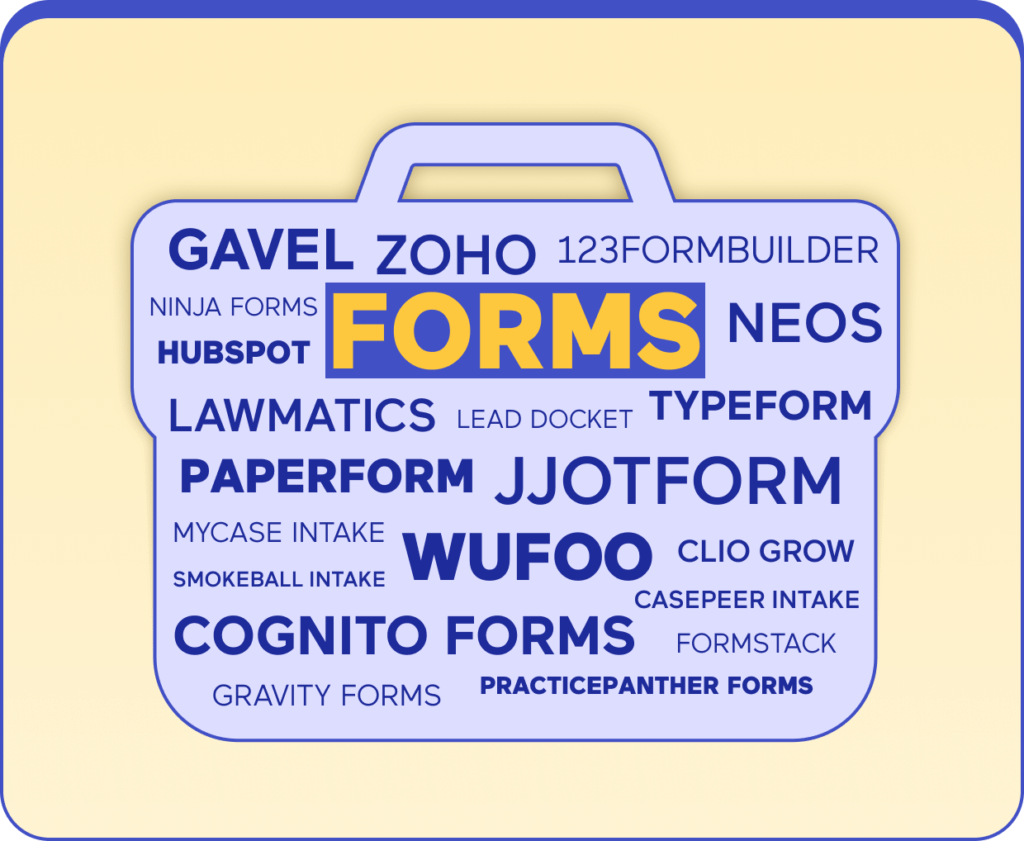
- HubSpot
- Zoho
- Clio Grow
- Lawmatics
- Captorra
- CASEpeer Intake
- Filevine (Lead Docket)
- Neos
- MyCase Intake
- PracticePanther Forms
- Smokeball Intake
These built-in forms are useful for firms already committed to those systems, allowing direct data capture into lead or client records without extra integrations.
Choosing the Right Form Solution for Your Law Firm
Every law firm uses forms, but not every firm uses them well. The right form platform offers convenience, accuracy, efficiency, and a good client experience. A mismatch here can slow intake, frustrate incoming clients (and your staff), and create data silos that end up affecting everyone’s cases or workloads, and that’s what we want to avoid.
1. Start With Purpose, Not Features
Before comparing software, define what your forms need to accomplish.
- Marketing & Lead Capture: If your goal is to convert more website visitors, prioritize tools with high-converting interfaces (like Typeform or Paperform).
- Client Intake: If you need detailed, structured data from qualified clients, look for conditional logic, file uploads, and compliance-ready security.
- Internal & Administrative Workflows: For HR, referral, or compliance forms, flexibility and integration matter more than design polish.
Every form serves a different purpose, so clarity on intent is step one. Once you know what problem you’re solving, the right vendor usually reveals itself.
2. Assess Your Firm’s Complexity
Not every firm needs an enterprise platform. We like bells and whistles too, but it’s a bit like buying a cable package: if you only want local news and trashy reality TV, you don’t need to buy the package with RedZone.
- Solo and Small Firms: Focus on cost, ease of setup, and automation light. Tools like Jotform or 123FormBuilder handle the essentials without IT support.
- Mid-Size Firms: Look for scalability and integrations. Gravity Forms or Cognito Forms can grow with your firm and support more complex routing.
- Large or Multi-Office Firms: Prioritize compliance, user permissions, and analytics. Platforms like Formstack or Westlaw Form Builder provide those controls, but only if the firm has the internal structure to manage them.
Complexity adds overhead — both in setup and upkeep — so buy for the firm you are now, not the one you might become. You can always add features or buy a different package later.
3. Evaluate Criteria Based on Your Core Needs
It really comes down to five categories, in our opinion:
- Customization: Can you match the form’s look, feel, and flow to your firm’s brand and intake process?
- Compliance & Security: Does it support encryption, HIPAA, or GDPR? Who owns the data: you or the vendor?
- Ease of Use: Can your marketing or intake team manage updates without technical help?
- Integration: Will it sync cleanly with your CRM, document system, or intake workflow without constant troubleshooting?
- Cost & Scalability: What happens when your volume doubles — or when you need 50 new forms?
If a platform fails in even one of these areas, it’s probably not a sustainable long-term fit. And if you try to rig something up, you could end up getting bogged down in “quick fixes” and add ons that raise your price (and your blood pressure). Choose a system that meets all five needs AND allows you to scale up later.
Common Mistakes to Avoid When Choosing a Forms Solution

- Over-buying software: Enterprise packages can be costly, and if you already have a CRM with a lot of the same features, you don’t need all those extra bells and whistles
- Ignoring client experience: Slick, curated forms mean nothing if folks can’t use them, or if clients get frustrated trying to fill them out. It may be worth asking current and former clients about their experiences with your web forms as part of your follow up.
- Skipping security setup: Web users are pretty savvy about security, and may avoid your site altogether. Leaving data unencrypted or stored in insecure systems can cause tremendous problems for everyone later, and potentially open you up to liability in the event that data is stolen or breached.
- Failing to plan integrations: A great form that doesn’t connect to your CRM or intake process just creates another silo.
Choosing the right tool is about aligning technology with your firm’s actual workflow and your team’s actual capacity.
Implementing and Optimizing Law Firm Form Solutions
Buying a form tool is the easy part. Making it actually work inside your firm — with real clients, staff, and systems — is where most of the effort happens. A thoughtful rollout ensures your investment doesn’t turn into another unused subscription or half-working web form buried on your site.
1. Map Your Law Firm’s Form Workflow Before Launch
Don’t start by designing a form. Start by mapping the workflow that form supports:
- Identify who receives each form submission and what happens next.
- Outline every data touchpoint — where information is stored, who accesses it, and how it’s used.
- Determine which submissions need attorney review before follow-up.
- Define triggers for next steps (email confirmations, task creation, calendar invites, or document drafts).
- Build internal accountability; who’s responsible for ensuring the process runs smoothly?
Build the process first, then fit the form into it. This guarantees every field, question, and integration exists for a reason, and not just because the software makes it easy to add.
2. Connect Your Forms to Existing Law Firm Systems
A form is only helpful when it connects to the rest of your stack. Whether you use a CRM, intake platform, or marketing automation system, take the time to map exactly how data should flow between tools.
- Use webhooks or native integrations to eliminate manual re-entry.
- Standardize field names so your CRM, case management, and billing systems recognize inputs automatically.
- Tag and segment leads based on practice area, urgency, or case type.
- Use form submissions to trigger automated emails or SMS confirmations.
- Ensure compliance with HIPAA, GDPR, or state privacy laws by encrypting transfers and maintaining detailed access logs.
Poor integration leads to duplicated effort and data gaps, which can kill efficiency and accuracy.
3. Test Every Online Intake Form Before It Goes Live
Before launching publicly, run real-world tests with multiple people: attorneys, intake staff, your marketing company, maybe your grandma.* Watch for where they hesitate, scroll back, or abandon the form.
- Track completion rate, abandonment rate, and average time to submit.
- Test on different devices and browsers (mobile, tablet, desktop).
- Validate file uploads, e-signatures, and conditional fields.
- Check accessibility standards (font size, contrast, tab navigation, screen reader compatibility).
- Ensure all notifications, automations, and webhooks fire correctly once the form is submitted.
A few hours of testing and QA can prevent hundreds of leads from slipping through unnoticed.
*We’re not kidding about Grandma, though it doesn’t need to be her, per se. A former client or a friend would be fine. Ideally, you want someone with limited tech knowledge, but anyone who you trust to give you an honest answer would be fine.
4. Monitor Form Performance and Optimize for Conversions
Once a form is live, continuous improvement should become part of the workflow. High-performing firms treat forms like living assets, not static pages. Here are some simple steps to work into your routine maintenance:
- Review analytics monthly to identify drop-off points and question bottlenecks.
- A/B test headlines, button text, and number of required fields.
- Simplify long forms by splitting them into multi-step or progressive experiences.
- Audit compliance and integration settings quarterly, especially after updates.
- Add visual progress indicators or reassurance copy (“Your information is secure”) to improve completion rates.
- Use heatmaps or session recordings (if privacy policies allow) to see how users interact with the form.
Small, data-driven adjustments over time make a bigger impact than one major redesign. At MeanPug, we handle this type of assessment for our clients. The data we compile can help them back better choices for their firms.
5. Train Staff and Standardize the Intake Process
Technology can’t fix intake problems if your people aren’t part of the system. Make sure every staff member knows where form data goes, how to act on it, and what follow-up timing is expected. Even the smartest automation fails if the handoff to humans breaks.
Document your process and revisit it quarterly. A clear, shared understanding keeps intake consistent no matter who’s in the office.

Future Trends in Legal Form Technology
The evolution of online forms mirrors the evolution of the modern law firm itself: from static and reactive to dynamic, intelligent, and client-centered. What used to be a simple digital replacement for paper intake is now becoming a sophisticated, automated interface between firms and clients. The next few years will redefine what “filling out a form” even means.
AI and Adaptive Intake
Artificial intelligence is pushing form technology toward personalization. Instead of fixed question sets, new systems can interpret user input in real time and adjust the experience accordingly, skipping irrelevant questions, expanding on ambiguous answers, or flagging missing information before a client ever hits “submit.” For law firms, that means cleaner data, faster intake, and a smoother path from inquiry to engagement — eventually.
Because for adaptive intake to work as intended, you’re going to put a lot of detailed care into your system, whatever it is. The upfront time cost can be considerable, but once it’s done, you’ll have created a flexible, adaptable system that helps you get the hot leads you want, and helps potential clients present the information you need.
In our opinion, it’s worth the time because of…
The Move Toward Conversational Intake
The future of forms may not look like forms at all. Conversational interfaces — chat- and voice-based experiences that mimic natural dialogue — are reshaping intake. Instead of long fields and dropdowns, clients interact with guided prompts that feel like a conversation with other people. They can upload files, schedule consultations, and sign agreements inside the same flow. For the client, it feels faster and more personal. For the firm, it delivers structured data and an immediate sense of engagement.
Connected Systems, Not Isolated Tools
The next generation of form software won’t live in isolation. Data will flow automatically between forms, CRMs, document systems, and billing tools without the need for manual exports or complicated middleware. The form becomes the front door to an entire ecosystem: the entry point where a potential client’s data begins its journey through your firm’s workflow. When done right, that connection eliminates redundancies, ensures accuracy, and allows teams to respond faster, because information ends up exactly where it’s needed the moment it’s submitted.
Accessibility as a Core Feature
Accessibility isn’t an optional add-on anymore; it’s literally the least you can do. The best form platforms are beginning to bake in support for screen readers, keyboard navigation, text resizing, and multiple language translations. For firms, this shift means two things:
- First, compliance with WCAG and ADA standards will happen automatically rather than through workarounds; and
- Second, more clients — across languages, devices, and abilities — will actually be able to complete their forms.
Accessible forms are ethical and inclusive, for sure. But they’re also better for business. And we don’t just mean for personal injury or employment firms, either. Every firm can benefit by making sure more people can find and use their websites, and accessible forms are an important part of that.
Security and Privacy by Design
We saved perhaps the most important issue for last. As client data becomes more digitized, the burden of keeping it safe falls squarely on the technology that collects it. Expect to see encryption at every layer, automatic data purging schedules, and more granular access controls that determine who can view what. Some vendors are even building “audit-by-default” systems that log every data interaction in case of compliance reviews. For law firms handling medical records, immigration documents, or financial disclosures, these improvements mean peace of mind… and fewer potential liabilities.
Law Firm Form Solutions: Building a Better Client Experience With MeanPug
Every firm relies on forms, but the best firms turn them into an advantage. A well-built form gets you the data you need while also providing a smoother client journey. MeanPug can help you get there. We work with law firms to choose, customize, and optimize the right form solutions — the ones that fit your workflow, reflect your brand, and convert more clients.
our authors




Resources
123FormBuilder. (n.d.). 123FormBuilder. https://www.123formbuilder.com/
Cognito Forms. (n.d.). Cognito Forms. https://www.cognitoforms.com/
Formstack. (n.d.). Formstack. https://www.formstack.com/
Gavel. (n.d.). Gavel. https://www.gavel.io/
Gravity Forms. (n.d.). Gravity Forms. https://www.gravityforms.com/
Jotform. (n.d.). Jotform. https://www.jotform.com/
Ninja Forms. (n.d.). Ninja Forms. https://ninjaforms.com/
Paperform. (n.d.). Paperform. https://paperform.co/
Typeform. (n.d.). Typeform. https://www.typeform.com/
Wufoo. (n.d.). Wufoo. https://www.wufoo.com/
Glossary